



Readwise CLI
Get started at readwise.io/cli
These docs offer detailed instructions and FAQs about the Readwise CLI, but if you're just looking for a quick setup guide to get up and running, check out our landing page at readwise.io/cli.
The Readwise CLI gives you direct access to your Readwise and Reader data from the command line. You can directly search, read, and organize your library, or let an AI agent do it for you.
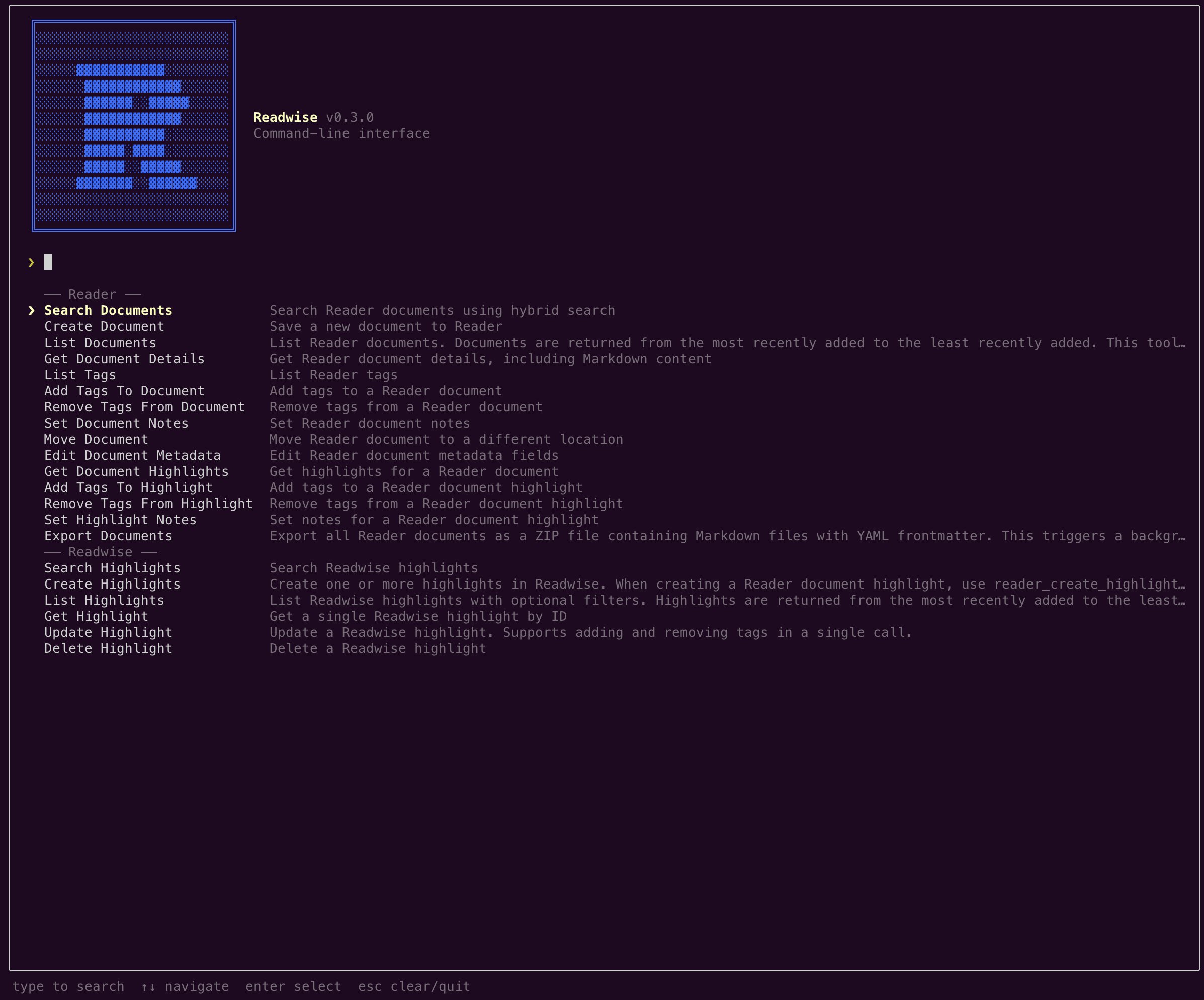
Install the Readwise CLI
Installing the Readwise CLI only takes two commands. The login command opens your browser for OAuth.
npm install -g @readwise/cli
readwise login
For scripts and headless agents, use readwise login-with-token <your-access-token> instead. (You can grab your token here: readwise.io/access_token.)
Once installed, your agent (Claude Code, Codex, OpenClaw, etc.) can use the readwise command. Run readwise --help to see everything it can do.
What you can do
These are the primary building blocks available through the Readwise CLI. You can use them directly, pipe them to other tools, or let your AI agent use them for you.
Search your Reader library
readwise reader-search-documents --query "aggregation theory"
Read a saved document (returns Markdown)
readwise reader-get-document-details --document-id <id>
Save a URL to Reader
readwise reader-create-document --url "https://example.com/article"
Check your inbox
readwise reader-list-documents --location new
Move documents to archive, later, or shortlist
readwise reader-move-documents --document-ids <id>,<id> --location archive
Search your Readwise highlights
readwise readwise-search-highlights --vector-search-term "compounding"
Create a highlight
readwise reader-create-highlight --document-id <id> --text "The key insight is..."
Tag and organize documents
readwise reader-add-tags-to-document --document-id <id> --tags "ai,research"
Get today's daily review
readwise readwise-get-daily-review
Export your entire library as Markdown
readwise reader-export-documents
Skills
Skills are pre-built workflows your AI agent can run. Install them with the following command:
npx @readwise/cli skills install claude
Triage
AI walks you through your inbox one article at a time, telling you what's worth your time and why.
Feed Catchup
Skim your Reader feed in batches (RSS, newsletters, Twitter digests) to pull out the gems, then mark the rest as seen.
Quiz
Test yourself on something you just read, and get graded by the AI like it's a smart colleague who also read the piece.
Now Reading
Generate a "What I'm Reading" webpage from your library to host on your personal site.
Looking for inspiration?
For more ideas about what you can do with these tools, check out our usage examples or browse pre-built skills on GitHub.
Configuration
Manage CLI settings with the config command. No authentication is required.
readwise config show              # show all settings
readwise config get readonly      # get a single setting
readwise config set readonly true # enable readonly mode
Readonly mode
When readonly mode is on, only read-only tools (search, list, get, export) are available — write operations are hidden. This is useful when giving an agent access to your library without letting it make changes.
readwise config set readonly true
readwise --refresh
Disabling readonly via the CLI logs you out and requires re-authentication (readwise login). This prevents an agent from silently toggling readonly off and using write tools. Toggling readonly in the interactive TUI does not require re-login.
CLI FAQs
What's the difference between the CLI and the MCP server?
They give your AI access to the same Readwise and Reader data, but in different ways.
The CLI is a command-line tool, where you or your agent runs readwise commands directly in a terminal session. The MCP server works with apps like Claude Desktop and ChatGPT that support the Model Context Protocol, with no terminal required.
If you're using a terminal-based agent like Claude Code or Codex, the CLI is usually the simpler option.
Can I use the CLI in automated scripts or CI environments?
Yes. Use readwise login-with-token <your-access-token> to authenticate without a browser. You can find your access token in your Readwise account settings.
Does the CLI work with both Readwise and Reader?
Yes. Commands prefixed with readwise- operate on your Readwise highlights library, and commands prefixed with reader- operate on your Reader documents. Both are available after a single login.