



Import from Voicenotes
Voicenotes is a speech-to-text transcription app with built-in AI features, allowing you to take audio notes and then easily generate summaries, key takeaways, to-do lists, and much more.
The Voicenotes integration automatically imports your notes into Readwise Highlights as soon as you create them.
How do I import my Voicenotes to Highlights?
- Log in to your Voicenotes account, then click into the account settings in the top right
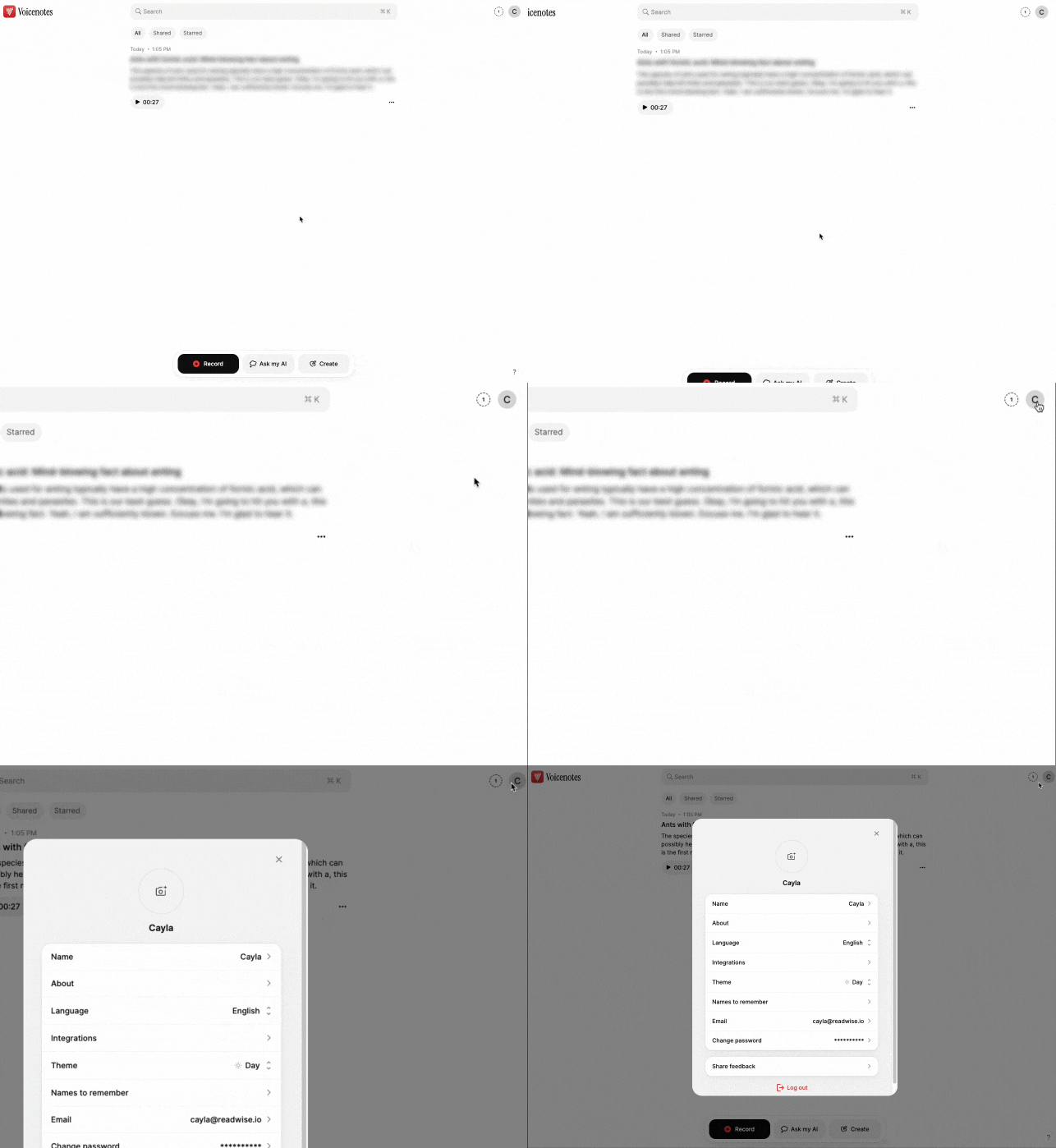
- Click into Integrations, then select Readwise.
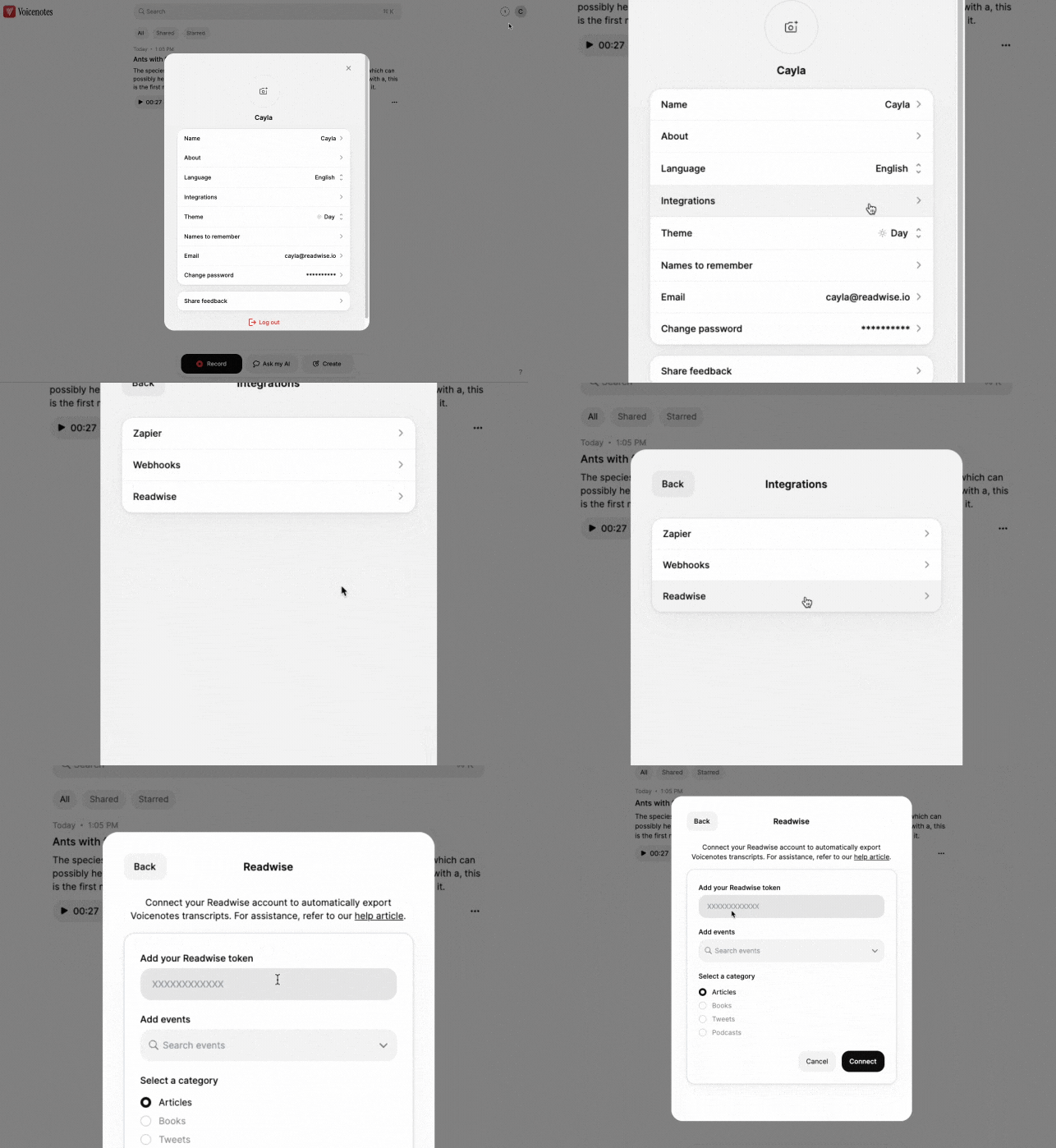
- Paste your Readwise API token into the first field of the settings and configure the other options to suit your preferences. Click Connect.
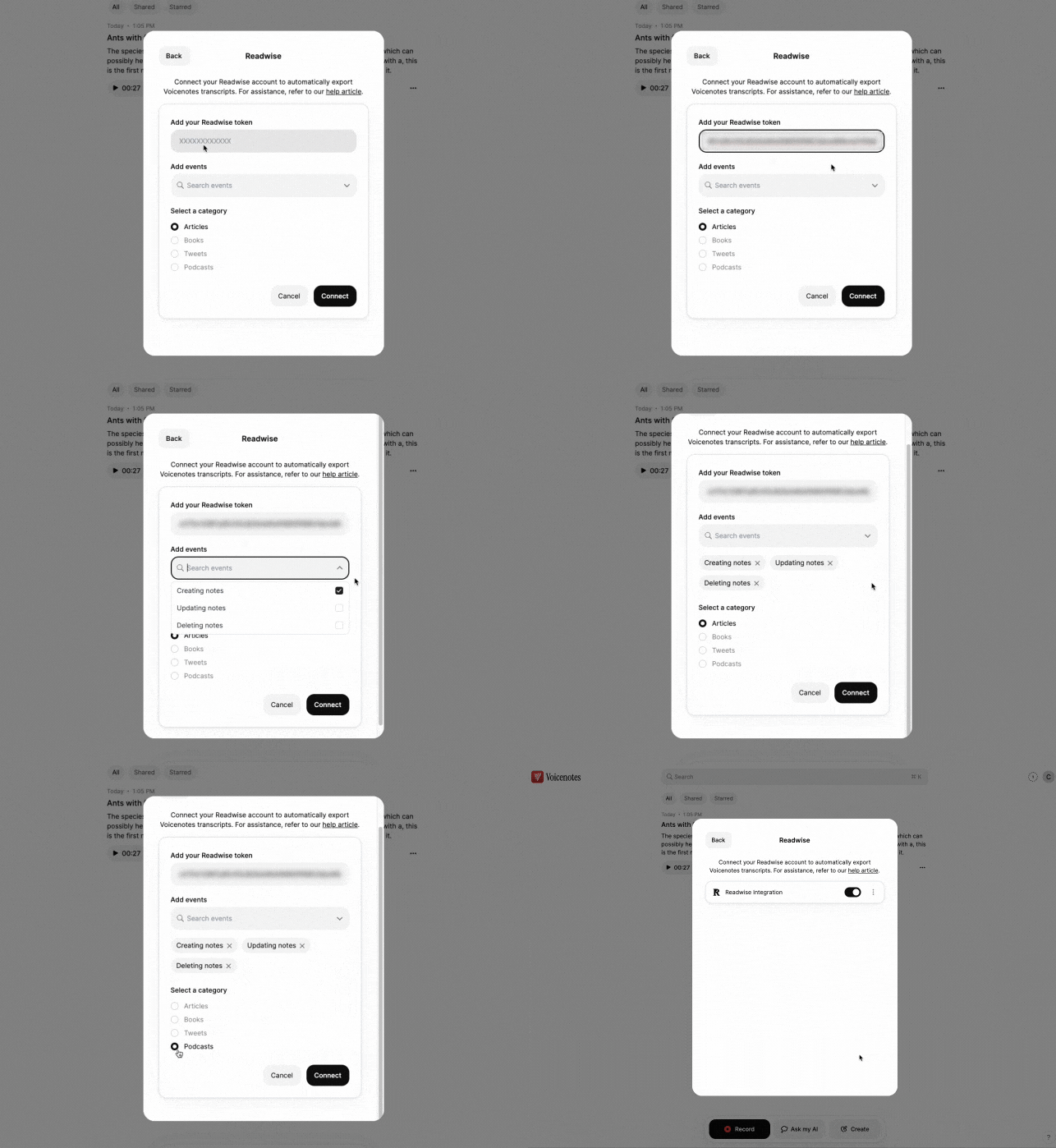
Once you've connected your accounts, any new notes you create in Voicenotes will be exported to Highlights and will appear under the category you selected during setup (Articles, Books, Tweets, or Podcasts).
How do I sync my existing Voicenotes to Highlights?
Notes that already existed in Voicenotes before you connected the integration will not be synced automatically. To sync them, you can either enable the Updating notes event trigger when setting up the integration and then update your old notes, or add a tag in the integration and apply that tag to the existing notes to trigger a sync.